
Journey
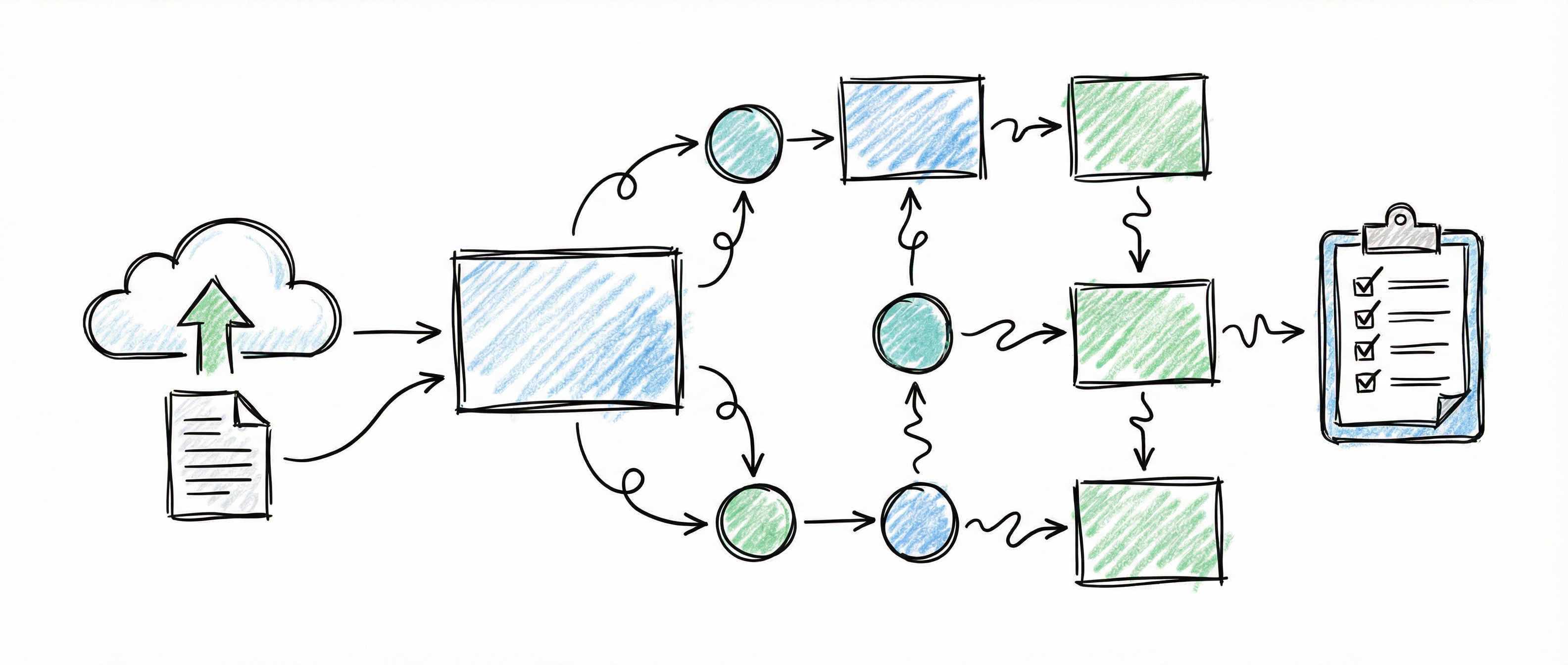
The Journey page shows the path your organisation is walking, one stage at a time. Use it to see which stage you are on, what that stage still needs, and what comes next. A practitioner uses it to sign each stage off.
Open it from Journey in the sidebar, under OVERVIEW.
Jump to a task: Attest a stage · Import or re-issue a template · Write a template · Check type reference
How a journey works
Section titled “How a journey works”- The stages come from a template. Your practitioner (or your own team) writes a journey template: an ordered list of stages, each with a title, a summary, what to expect next, and a set of checks. An organisation admin imports it. The platform does not define the flow.
- Checks are evaluated, not obeyed. Each check reads data you already hold in the platform, such as scoped controls, approved documents or open deficiencies, and shows whether it is met. The checks are re-evaluated every time you open the page.
- A person decides when a stage is finished. A stage never completes itself. Someone with editor rights attests it, and their name and the date are recorded against it. The checks inform that decision; they do not make it.
Supports PIG steps: all (the check vocabulary and its scf_ids and generator filters).
Reading the page
Section titled “Reading the page”The path
Section titled “The path”Each stage is listed in order with its number, title, state and a count such as “3/4 checks”. The state is always spelled out:
| State | Meaning |
|---|---|
| Not started | The stage is locked. It opens when the stage before it is attested. |
| You are here | The current stage. Work is underway. |
| In progress | Open, but not the current stage. |
| Awaiting sign-off | The current stage, and every check on it is met. It is waiting for someone to attest it. |
| Complete | Attested. |
| Passed with conditions | Attested with items still outstanding and a due date for them. |
If no journey has been imported, or it has not been started, a note reads This is the road, not your progress yet. You can still open and read every stage.
A stage’s checks
Section titled “A stage’s checks”Click a stage to expand it. You see its summary, What to expect, and its checks. Each check shows its label, its state, and a detail line saying what was counted:
| Check state | Meaning |
|---|---|
| Met | The check passes on today’s data. |
| Not met | The check fails on today’s data. The detail line says by how much, for example “18 of 25 (72.0%) — 20 required, 2 more needed”. |
| Not evaluated | The platform could not evaluate the check, and the detail line says why. It never counts as a pass. |
If the stage has been attested, the expanded stage also shows who signed it, when, any due date for outstanding items, and their note.
Today and What comes next
Section titled “Today and What comes next”Below the path, Today lists the current stage’s checks that are not yet met, and What comes next previews the following stage. Open the full work queue → takes you to your task list.
When every stage has been attested, Today lists any stages passed with conditions that are still open, and any signed stages whose checks no longer pass. A signature stands as recorded even if a check later fails; this list is how you notice the drift.
How to attest a stage
Section titled “How to attest a stage”- Open Journey and click the current stage to expand it.
- Click Attest this stage.
- In What did you check, and who was in the room?, write what you reviewed and who attended.
- If the stage passes with items still open, tick Pass with items still outstanding and set Outstanding items due.
- Click Sign and pass this stage, or Cancel to leave it.
What you’ll see: the stage reads Complete (or Passed with conditions), with your name, the date and your note. The next stage opens and becomes You are here. The attestation is recorded in the audit log.
Who can do it: editors and admins. Viewers can read the journey but do not see Attest this stage.
Common refusals:
- Sign and pass this stage stays disabled when Pass with items still outstanding is ticked but no due date is set.
- The page offers Attest this stage only on the current stage. Earlier and later stages show no attest button.
- A stage can be attested once. An attested stage cannot be attested again.
How to import or re-issue a journey template
Section titled “How to import or re-issue a journey template”A journey template is a JSON file. You upload it from the Journey page.
- Open Journey.
- Click Import journey file. Once a journey exists, the same button reads Re-issue from file.
- Choose the
.jsonfile. It can be the template itself, or a whole import request with the template under atemplatekey; the page reads the template from either.
What you’ll see: a confirmation such as “Imported pig-journey 2026.1”, taken from the file’s template_key and template_version. If the journey had not been started, importing a file starts it: the first stage becomes You are here.
If your organisation has no journey yet, Start this journey imports and starts the deployment’s default template instead of a file.
Who can do it: organisation admins only. Editors and viewers don’t see these buttons.
Re-issuing keeps signatures. A re-issued template is merged with the existing journey by stage key:
- a stage whose key is still present keeps its state, signature and dates, and takes the new title, text and checks;
- a new key arrives as Not started;
- an unsigned stage whose key has gone is removed;
- stages are re-ordered to match the file.
Every import is recorded in the audit log, including each stage’s checks before and after.
Common refusals (shown under the button as Import failed: and the reason):
- The file is not valid JSON, is not a journey object, has no stages, or a stage has no
keyortitle. - Two stages share a
key. - A check uses a type this deployment cannot evaluate. The message lists the types.
- A check names an SCF ID that is not in the catalogue, or a document generator that does not exist.
- A check uses
scf_ids,basis,generatororwithin_dayswhere its type does not take them. - One of these check types has a parameter it does not take:
systems_with_criticality,controls_with_target,controls_at_target,material_controls_at_status,risks_accepted_without_approver_max,open_deficiencies_max,material_deficiencies_max,controls_validated_within_cadenceorcapability_tests_within_days. - A target, material, deficiency or validation check names an unknown domain.
- The revision drops a stage that has already been attested. Keep that stage’s key in the file, or click Re-issue anyway and discard the attested stages and confirm: the dropped stages are deleted, their attestations are discarded, and each discarded attestation (who signed, when, and the note) is recorded in the audit log.
The message lists every problem, by stage. Other check types are more lenient: they ignore parameters they don’t use, and show Not evaluated for an unknown domain rather than stopping the import.
Writing a template
Section titled “Writing a template”A template has a list of stages, and optionally a name (default “Compliance journey”), template_key, template_version and description. Each stage has:
| Field | Required | Limit | What it is |
|---|---|---|---|
key | Yes | 100 characters | A stable identifier. Re-issues match stages by it, so don’t rename it. |
title | Yes | 255 characters | The stage name shown on the path |
summary | No | What the stage is about | |
expect_next | No | Shown as What to expect | |
precondition_spec | No | The list of checks |
Each check is an object with a type, an optional label (shown on the page; it defaults to the type), and the parameters for that type.
This stage gates on the controls a PIG step names having a target maturity, and on an approved Statement of Applicability:
{ "template_key": "pig-journey", "template_version": "2026.1", "name": "PIG engagement", "stages": [ { "key": "step-1g", "title": "Set maturity targets", "summary": "Agree the target maturity for the controls this step names.", "precondition_spec": [ { "type": "controls_with_target", "scf_ids": ["<SCF ID>", "<SCF ID>", "<SCF ID>"], "label": "Named controls have a target maturity" }, { "type": "documents_approved", "generator": "soa", "label": "Statement of Applicability approved" } ] } ]}Replace each <SCF ID> with a control ID exactly as the Control Library shows it: the domain code, a hyphen and the control number. The import refuses any ID that is not in the SCF catalogue.
Check type reference
Section titled “Check type reference”Filters on control checks
Section titled “Filters on control checks”Checks that count in-scope controls can be narrowed:
scf_ids: a list of SCF control IDs. The check counts only those controls, and divides by all of them: a named control that is not scoped counts against the check. The only way to take a named control out of the count is to exclude it from scope, which records a reason. Every ID must exist in the SCF catalogue.domains: a list of SCF domains, such as["GOV", "RSK"]. You can write the domain code or the domain’s name. The check counts only controls in those domains.
Use both and the check counts the named controls that are also in the named domains. These filters are accepted only on the checks marked “Yes” in the Filters column below. On any other check, scf_ids stops the import. domains stops it only on the check types listed under Common refusals; elsewhere it is ignored.
Control checks
Section titled “Control checks”min_fraction is a number above 0 and up to 1 (default 1, meaning all). Implementation statuses are not_started, in_progress, implemented, ready_for_review, monitored, not_applicable, at_risk and deferred.
| Type | Met when | Parameters | Filters | PIG steps |
|---|---|---|---|---|
controls_with_decision | At least min_fraction of in-scope controls have an implementation status recorded | min_fraction | Yes | |
controls_with_owner | At least min_fraction of in-scope controls have an accountable team | min_fraction | Yes | |
controls_at_status | At least min_fraction of in-scope controls are at one of statuses | statuses, min_fraction | Yes | |
controls_at_risk_max | No more than max_count in-scope controls are flagged at risk | max_count (default 0) | Yes | |
controls_with_basis | At least min_fraction of in-scope controls have an obligation basis, or the named basis | basis (mcr or dsr, optional), min_fraction | Yes | 1c, 1d, 1f, 27 |
controls_with_target | At least min_fraction of in-scope controls have a target maturity | min_fraction | Yes | 1g, 30 |
controls_at_target | At least min_fraction of in-scope controls are at their target maturity. A control with no target is never at target | min_fraction | Yes | 1g, 30 |
material_controls_at_status | At least min_fraction of material in-scope controls are at one of statuses | statuses (required), min_fraction | Yes | 2d, 3c, 5b |
controls_validated_within_cadence | At least min_fraction of in-scope controls have a validation on record that is not yet overdue. A control never validated counts against | min_fraction | Yes | 2c, 27, 28, 30 |
Other checks
Section titled “Other checks”| Type | Met when | Parameters | Filters | PIG steps |
|---|---|---|---|---|
frameworks_scoped | At least min_count frameworks are scoped | min_count (default 1) | No | |
frameworks_with_basis | At least min_count scoped frameworks have the named basis | basis (mcr or dsr, required), min_count (default 1) | No | 1c, 1d, 1f, 27 |
documents_approved | At least min_count generated documents are approved or published | min_count (default 1), generator, within_days | generator only | 1e, 2a, 30 (with generator: "soa"); 2c, 27, 28, 30 (with within_days) |
evidence_items_tracked | At least min_count evidence items are tracked | min_count (default 1) | No | |
evidence_files_uploaded | At least min_count evidence files are uploaded | min_count (default 1) | No | |
evidence_upload_spread_days | The first and last evidence uploads are at least min_days apart | min_days (default 30) | No | |
engagement_exists | At least one audit engagement exists | None | No | |
systems_with_criticality | At least min_fraction of systems have a criticality. Counts systems in scope plus systems whose boundary is undecided; never met while no system is marked in scope | min_fraction | No | 1a, 1f, 4a, 4c, 4f, 4g, 7c, 7e |
risks_accepted_without_approver_max | No more than max_count accepted risks lack a current approval (no approver, no expiry, or expired) | max_count (default 0) | No | 2b, 3b, 3e, 28 |
open_deficiencies_max | No more than max_count deficiencies are open | max_count (default 0), domains | domains only | 3f, 8–26, 27, 28 |
material_deficiencies_max | No more than max_count deficiencies against material controls are open | max_count (default 0), domains | domains only | 3f, 8–26, 27, 28 |
capability_tests_within_days | At least min_count capability tests were run in the last days days, whatever their result | days (required, 1–3660), min_count (default 1), test_types (incident_response, continuity, other) | No | 29 |
Document filters
Section titled “Document filters”documents_approved takes two optional filters:
generatorcounts only documents from one generator. Usesoa,control-status,risk-treatment,evidence-schedule,maturity-reportorgovernance-report. For a per-domain document, add the domain:policy:GOV,procedure:GOVorstandard:GOV. Withgenerator: "soa", the check confirms that your Statement of Applicability is approved, which is how the platform records the Living Control Set (LCS) revision. See Generated Documents.within_days(1–3660) counts only documents whose approval was recorded in the last that many days, for a review cadence. Use it withgenerator: "governance-report"to check that the board has reviewed a recent Governance Oversight Report.
A blank cell in the PIG steps column means the check is general purpose. You can still use it in a PIG journey wherever it fits.
Related Guides
Section titled “Related Guides”- Running a PIG-aligned engagement — where each PIG step is recorded, and the check that confirms it
- Generated Documents — approving the Statement of Applicability and the Governance Oversight Report
- Dashboard Overview — monthly posture snapshots
- Consultant Portal — working across client organisations as a practitioner
- MCP Integration — importing a journey and attesting stages from an AI assistant