
Vendor Risk Assessment
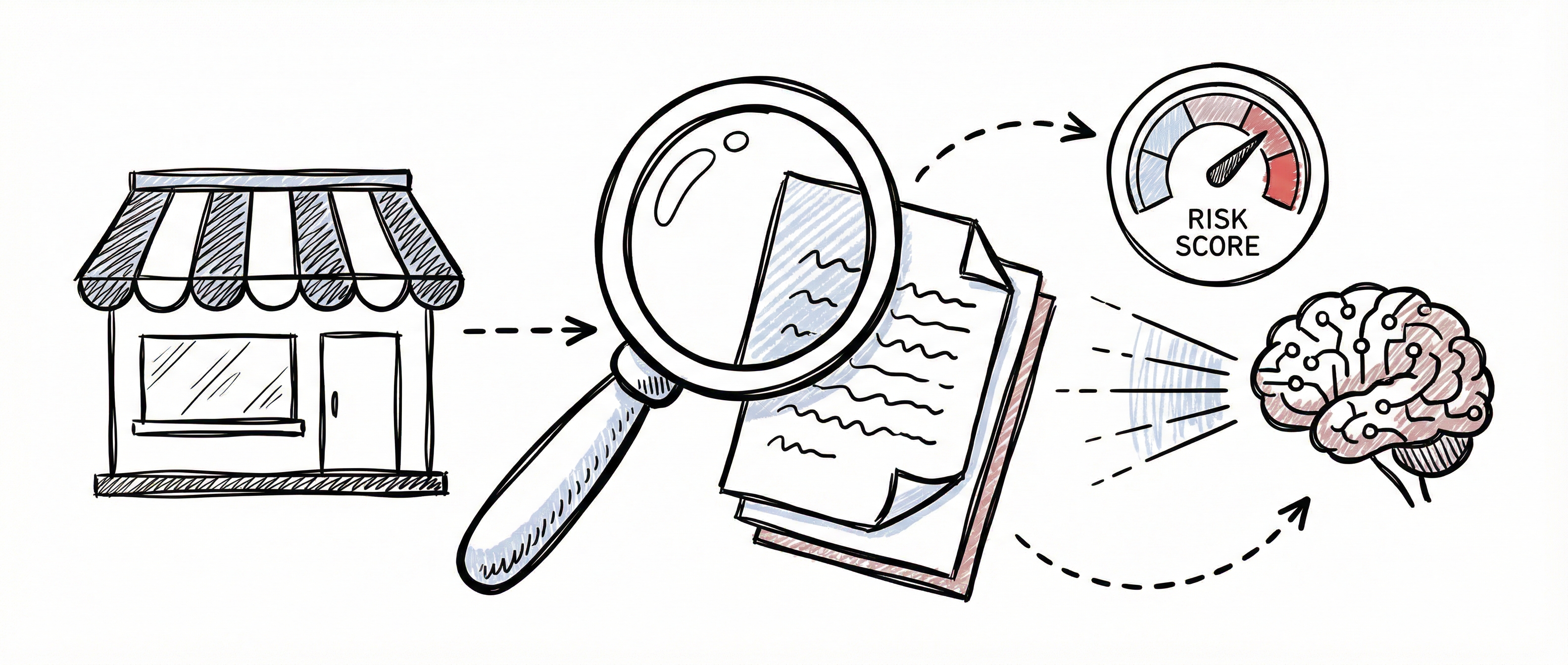
Vendor risk assessment is a core GRC activity — understanding the security posture of your third-party relationships is essential for protecting your organisation. The SCF Controls Platform provides automated risk scoring, AI-powered research, DPSIA assessments, claim verification, and comprehensive reporting to streamline this process.
All assessment features are accessed from the Vendor Detail page.
Risk Scoring Overview
Section titled “Risk Scoring Overview”The 5-Factor Model
Section titled “The 5-Factor Model”The platform calculates vendor risk using five weighted factors drawn from automated research and vendor records:
| Factor | Weight | What It Measures |
|---|---|---|
| Breach History | 25% | Known data breaches from Have I Been Pwned (HIBP) |
| Certification Status | 20% | Valid security certifications (ISO 27001, SOC 2, etc.) |
| CVE Severity | 20% | Known vulnerabilities from CVE/NVD databases |
| Regulatory Actions | 15% | Enforcement actions from regulatory bodies |
| Data Handling | 20% | Risk signal based on data sensitivity and handling practices |
How Scores Calculate
Section titled “How Scores Calculate”Each factor produces a score (0–25 points). The weighted scores are combined, then mapped to a likelihood (1–5) and impact (1–5) scale. The final risk score is Likelihood × Impact, giving a range of 1–25.
Risk Levels and Recommendations
Section titled “Risk Levels and Recommendations”| Score Range | Risk Level | Recommendation |
|---|---|---|
| 1–4 | Low | Approve |
| 5–9 | Medium | Approve with monitoring |
| 10–16 | High | Conditional approval |
| 17–25 | Critical | Reject or escalate |
Triggering a Risk Calculation
Section titled “Triggering a Risk Calculation”- Open the vendor’s Detail page
- Scroll to the Risk Scoring section
- Click Calculate Risk
- The platform analyses all available data and produces the score instantly
Understanding the Results
Section titled “Understanding the Results”The risk scoring section displays:
- Factor breakdown — Individual scores for each of the five factors with visual bars
- Final risk score — The combined score (1–25)
- Risk level — Low, Medium, High, or Critical with colour-coded badge
- AI analysis — A narrative summary explaining the key risk drivers and considerations
Inherent vs Residual Risk
Section titled “Inherent vs Residual Risk”The platform tracks both inherent risk (before controls) and residual risk (after controls):
| Risk Type | Definition | How It’s Calculated |
|---|---|---|
| Inherent Risk | The vendor’s raw risk exposure before any mitigating controls | Weighted factors excluding certifications |
| Residual Risk | The remaining risk after accounting for implemented controls | Adjusted by CIA control scores and valid certifications |
The difference between inherent and residual risk demonstrates the effectiveness of your vendor management programme. See Risk Management for more on the inherent vs residual risk concept.
AI-Powered Research
Section titled “AI-Powered Research”The platform can automatically research a vendor’s security posture by querying multiple external databases.
What It Queries
Section titled “What It Queries”| Source | Data Retrieved |
|---|---|
| HIBP (Have I Been Pwned) | Known data breaches involving the vendor |
| CISA KEV | Known exploited vulnerabilities |
| CVE/NVD | Published Common Vulnerabilities and Exposures |
| Regulatory databases | Enforcement actions and compliance findings |
Triggering Research
Section titled “Triggering Research”- Open the vendor’s Detail page
- Navigate to the AI-Powered Research section
- Click Run Research
- The platform dispatches an asynchronous research job
- Results appear when processing completes (typically under a minute)
Understanding Results
Section titled “Understanding Results”Research results include:
- Overall risk signal — A summary risk indicator (Low, Medium, High, or Critical)
- Per-source data — Detailed findings from each queried database
- Breach details — Dates, affected data types, and severity for any breaches found
- Vulnerability counts — Total CVEs with severity distribution
Research results feed directly into the 5-factor risk scoring model.
DPSIA Assessment (AI-Powered)
Section titled “DPSIA Assessment (AI-Powered)”The Data Protection & Security Impact Assessment (DPSIA) is the platform’s most comprehensive assessment tool. It uses an AI engine to produce a detailed analysis covering data privacy, security posture, regulatory compliance, and overall risk.
What Is a DPSIA?
Section titled “What Is a DPSIA?”A DPSIA evaluates the data protection and security risks of engaging a vendor. It considers the services used, the data role (controller or processor), and the broader context of the relationship to produce a structured assessment with a traffic-light rating (RAG status) and actionable recommendation.
Form Inputs
Section titled “Form Inputs”| Field | Required | Description |
|---|---|---|
| Services Used | Yes | What services from this vendor are you using? |
| Assessment Type | Yes | ”New” for first assessment, “Update” for follow-up |
| Data Role | Yes | Your organisation’s role: Controller or Processor |
| Client Name | No | Which client or project this assessment relates to |
| Additional Context | No | Any extra information for the AI assessor |
Running an Assessment
Section titled “Running an Assessment”- Open the vendor’s Detail page
- Navigate to the AI-Powered Research section
- Complete the DPSIA form fields
- Click Assess with AI
- The platform dispatches the assessment to a dedicated AI engine
- A progress indicator shows the assessment status
- Results appear automatically when processing completes
Understanding Results
Section titled “Understanding Results”When the assessment completes, you’ll see:
- RAG Status — A traffic-light rating:
- GREEN — Low risk, approve
- AMBER — Medium risk, approve with conditions
- RED — High risk, reject or escalate
- Recommendation — Approve, Conditional Approval, or Reject
- Risk Score — Numeric score (1–25)
- Expandable sections covering:
- Overall Risk Assessment
- Data Privacy Risks
- Security Posture
- Regulatory Compliance
- Detailed AI Analysis
Downloading the DOCX Report
Section titled “Downloading the DOCX Report”Each DPSIA assessment generates a professional DOCX report:
- Locate the completed DPSIA assessment in the AI-Powered Research section
- Click Download DOCX
- The report downloads as a formatted Word document
This report is suitable for sharing with stakeholders, attaching to audit evidence, or including in board reporting.
Claim Verification
Section titled “Claim Verification”Claim verification cross-references what a vendor claims about their security posture against the evidence gathered through research and assessments.
Triggering Verification
Section titled “Triggering Verification”- Open the vendor’s Detail page
- Scroll to the Claim Verification section
- Click Trigger Verification
- The platform analyses vendor claims against research data
Verification Statuses
Section titled “Verification Statuses”| Status | Description |
|---|---|
| Confirmed | Vendor claim is supported by evidence |
| Unverified | Insufficient evidence to confirm or deny |
| Discrepancy | Evidence contradicts the vendor’s claim |
| Anomaly | Unexpected finding requiring investigation |
The summary bar at the top shows the count for each status. Review any Discrepancy or Anomaly findings carefully — these may indicate vendor misrepresentation or outdated information.
CIA Control Breakdown
Section titled “CIA Control Breakdown”Controls are assessed across the three pillars of information security:
| Pillar | Focus Areas |
|---|---|
| Confidentiality | Encryption, access control, data masking |
| Integrity | Audit logging, change management, checksums |
| Availability | Redundancy, disaster recovery, SLAs |
Adding Controls
Section titled “Adding Controls”- Navigate to the CIA Control Breakdown section on the Vendor Detail page
- Click Add Control
- Select the pillar (Confidentiality, Integrity, or Availability)
- Enter the control name and category
- Set the score (1–5)
- Click Save
How Control Effectiveness Is Calculated
Section titled “How Control Effectiveness Is Calculated”The platform calculates overall control effectiveness (0–100%) from two sources:
- CIA control scores — Contribute up to 60% of the effectiveness rating based on average scores across all three pillars
- Valid certifications — Each valid certification adds 10%, up to a maximum of 40%
Control effectiveness feeds into the residual risk calculation, reducing the inherent risk score proportionally.
Action Items
Section titled “Action Items”Track remediation tasks that arise from vendor assessments.
Creating an Action Item
Section titled “Creating an Action Item”- Navigate to the Action Items section
- Click Add Action Item
- Enter the title, description, and due date
- Set the priority and assign an owner
- Click Save
Priority Levels
Section titled “Priority Levels”| Priority | Description |
|---|---|
| Critical | Requires immediate attention — blocking risk |
| High | Should be addressed within days |
| Medium | Address within the normal review cycle |
| Low | Address when resources allow |
Updating Status
Section titled “Updating Status”Action items support inline status updates — use the status dropdown directly in the table to move items through:
Open → In Progress → Completed
This makes it quick to update task progress without opening a separate form.
Compensating Controls
Section titled “Compensating Controls”When a vendor cannot fully meet a security requirement, document the gap and your mitigation strategy as a compensating control.
Adding a Compensating Control
Section titled “Adding a Compensating Control”- Navigate to the Compensating Controls section
- Click Add Compensating Control
- Describe the gap — what the vendor doesn’t provide
- Describe the compensating control — how your organisation mitigates the gap
- Set the effectiveness rating
- Click Save
Effectiveness Ratings
Section titled “Effectiveness Ratings”| Rating | Description |
|---|---|
| Full | Compensating control fully addresses the gap |
| Partial | Gap is partially mitigated — some residual risk remains |
| Minimal | Limited mitigation — significant residual risk |
Report Generation
Section titled “Report Generation”Generate comprehensive reports that consolidate all vendor assessment data into a single document.
Generating a Report
Section titled “Generating a Report”- Navigate to the Reports section on the Vendor Detail page
- Click Generate Report
- The platform compiles a 14-section report from all available assessment data
Report Sections
Section titled “Report Sections”| # | Section |
|---|---|
| 1 | Executive Summary |
| 2 | Vendor Profile |
| 3 | Risk Assessment Overview |
| 4 | Breach History Analysis |
| 5 | Certification Status |
| 6 | CVE/Vulnerability Analysis |
| 7 | Regulatory Compliance Status |
| 8 | Data Handling Risk |
| 9 | Claim Verification Summary |
| 10 | CIA Control Assessment |
| 11 | Action Items & Remediation |
| 12 | Compensating Controls |
| 13 | AI Analysis & Recommendations |
| 14 | Overall Risk Rating & Recommendation |
Previewing Reports
Section titled “Previewing Reports”Click the Preview button on any generated report to view it in a modal overlay. This lets you review content before exporting or sharing.
Exporting Reports
Section titled “Exporting Reports”Export reports in multiple formats:
| Format | Use Case |
|---|---|
| Formal distribution and archiving | |
| DOCX | Editing and annotation in Microsoft Word |
| JSON | Integration with other systems |
| Markdown | Lightweight documentation and version control |
Emailing Reports
Section titled “Emailing Reports”Send reports directly to stakeholders:
- Click the Email button on the report
- Enter recipient email addresses
- Click Send
- Recipients receive the report as an attachment
Risk Scoring Flow
Section titled “Risk Scoring Flow”The following diagram illustrates how data sources feed into the 5-factor risk scoring model to produce a final risk level and recommendation:
Best Practices
Section titled “Best Practices”Assessment Cadence
Section titled “Assessment Cadence”- Critical vendors — Assess at least quarterly and after any security incident
- High criticality vendors — Assess semi-annually
- Medium/Low vendors — Assess annually or at contract renewal
Maximising Assessment Quality
Section titled “Maximising Assessment Quality”- Run AI research first — Populate the data sources before calculating risk scores
- Add certifications upfront — Valid certifications improve the risk calculation
- Complete CIA controls — Detailed control assessments enable accurate residual risk
- Use DPSIA for critical vendors — The AI-powered assessment provides the deepest analysis
- Verify claims — Cross-reference vendor statements against evidence
Reporting and Governance
Section titled “Reporting and Governance”- Generate reports after each assessment cycle — Maintain a documented audit trail
- Track action items to completion — Open remediation tasks represent unmanaged risk
- Document compensating controls — Show auditors how you’re mitigating vendor gaps
- Email reports to stakeholders — Keep risk owners and leadership informed
Related Guides
Section titled “Related Guides”- Vendor Management — Register and manage your vendor registry
- Risk Management — Organisational risk register and 5x5 risk matrix